DNS Lookup
Query DNS records from your iPhone or iPad with the system resolver or one you choose, and compare encrypted DNS (DoH and DoT) with your system DNS in one run.

Look up records
Use system DNS, or send the query over UDP, TCP, DNS over HTTPS (DoH) or DNS over TLS (DoT). Linkalyst shows A, AAAA, CNAME, MX, TXT, NS, SOA and PTR records with their TTLs, and the response code when there is no answer.
Compare resolvers
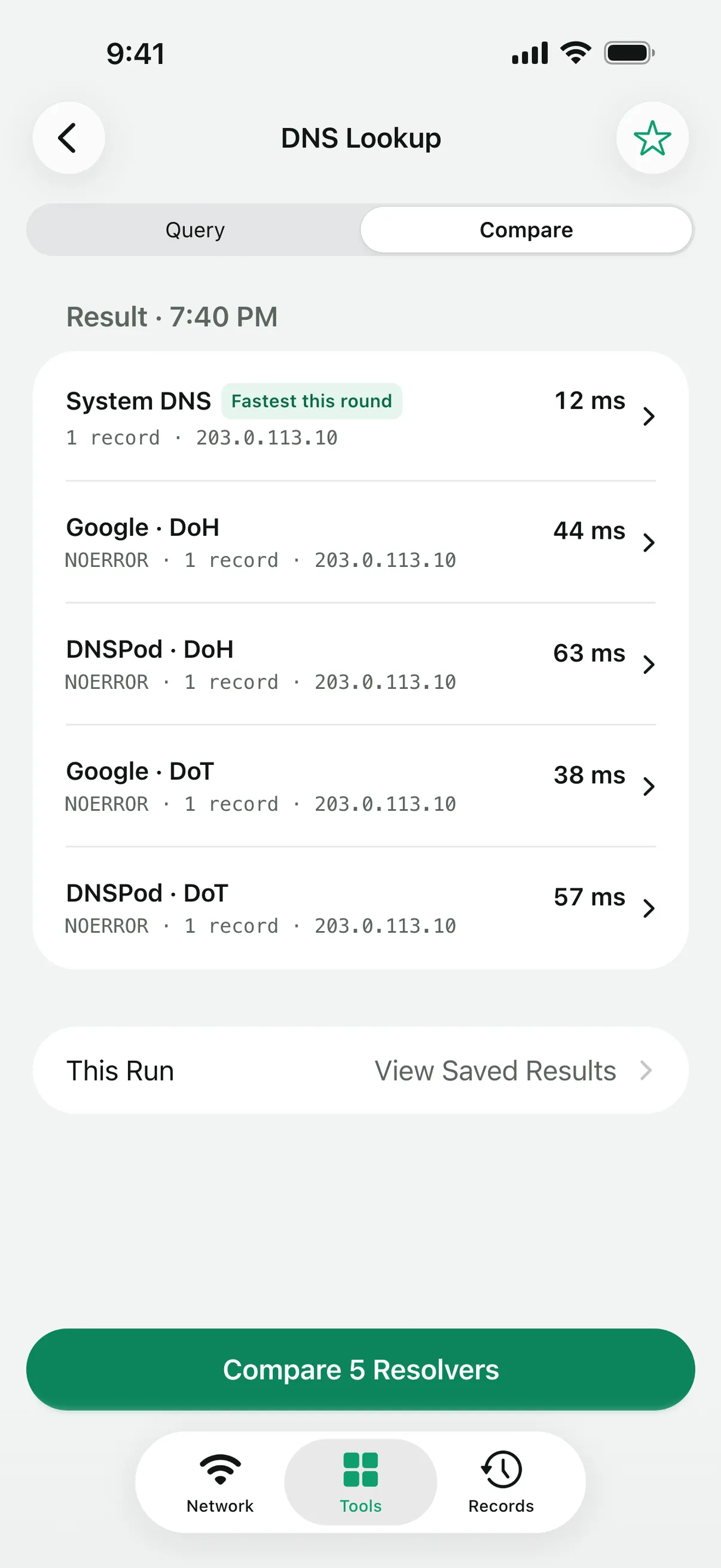
Compare system DNS with up to four resolvers in one run, each on its own protocol. The result shows which one answered fastest this round, where the records differ, and any response codes or failures.
Presets cover Cloudflare, Google and DNSPod, or you can enter your own server.
What it does not do
DoH and DoT apply only to queries made in Linkalyst; your device’s DNS settings stay unchanged. Encrypted DNS protects the connection to the resolver. It does not guarantee correct answers, anonymity or filtering, and the fastest resolver in one comparison is not necessarily the best over time.
Questions
What is the difference between NXDOMAIN and NODATA?
NXDOMAIN means the name does not exist. NODATA means the name exists but has no record of the type you asked for. Both are answers from the resolver, not connection failures.
Can I use my own DoH or DoT server?
Yes. Enter its address instead of choosing a preset, and it is queried and compared like any other resolver.
Does Linkalyst change my device’s DNS?
No. It only sends the queries you start in the app.
More tools
Linkalyst is free on the App Store for iPhone and iPad.