
Port Check
See whether a TCP port accepts connections, once or repeatedly, or scan a list of addresses for open ports on devices you are allowed to test.

Single Check
Connect to one address and port once, or up to 50 times in a row to see how the connection time varies. Repeated checks are saved as reports you can compare.
Batch Scan
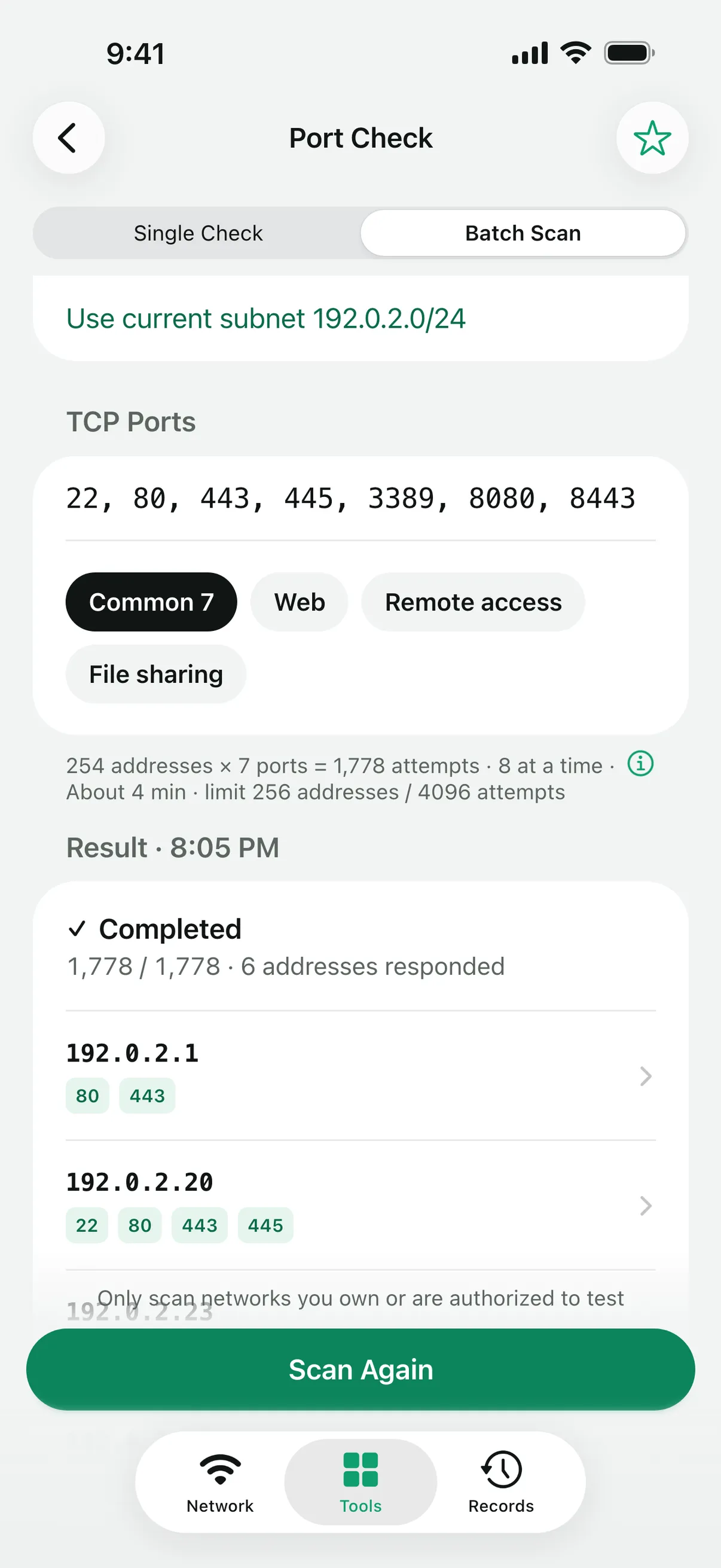
Enter an IPv4 list or CIDR range, or known IPv6 addresses, and pick one of four port presets or your own ports and ranges from 1 to 65535; the default is 80 and 443. A scan covers up to 256 addresses and 4,096 address-port pairs, with at most eight connection attempts at a time and a one-second timeout each.
Send an open port to Single Check, or save a responding address to My Devices.
What the results mean
Port Check only opens TCP connections. It sends no application data and does not identify services or devices. A timeout does not prove that a device is offline. Use it only on systems you own or have permission to test.
Questions
Does it scan UDP ports?
No. Port Check tests TCP connections only.
What is the difference between refused and timed out?
A refused connection means a device answered but nothing accepts connections on that port. A timeout means nothing answered within a second, which can be a firewall dropping the attempt or no device at that address.
Can it find every device on my network?
No. It checks the addresses and ports you give it. To see services that devices on your network announce over Bonjour, use Discover in the app.
More tools
Linkalyst is free on the App Store for iPhone and iPad.