
Internet Speed Test
Measure download and upload speed, latency and jitter from your iPhone or iPad, for free. The test runs on Linkalyst’s own speed test network, against the server nearest to you, and every result is kept in Records.

Measure download and upload speed, latency and jitter from your iPhone or iPad, for free. The test runs on Linkalyst’s own speed test network, against the server nearest to you, and every result is kept in Records.
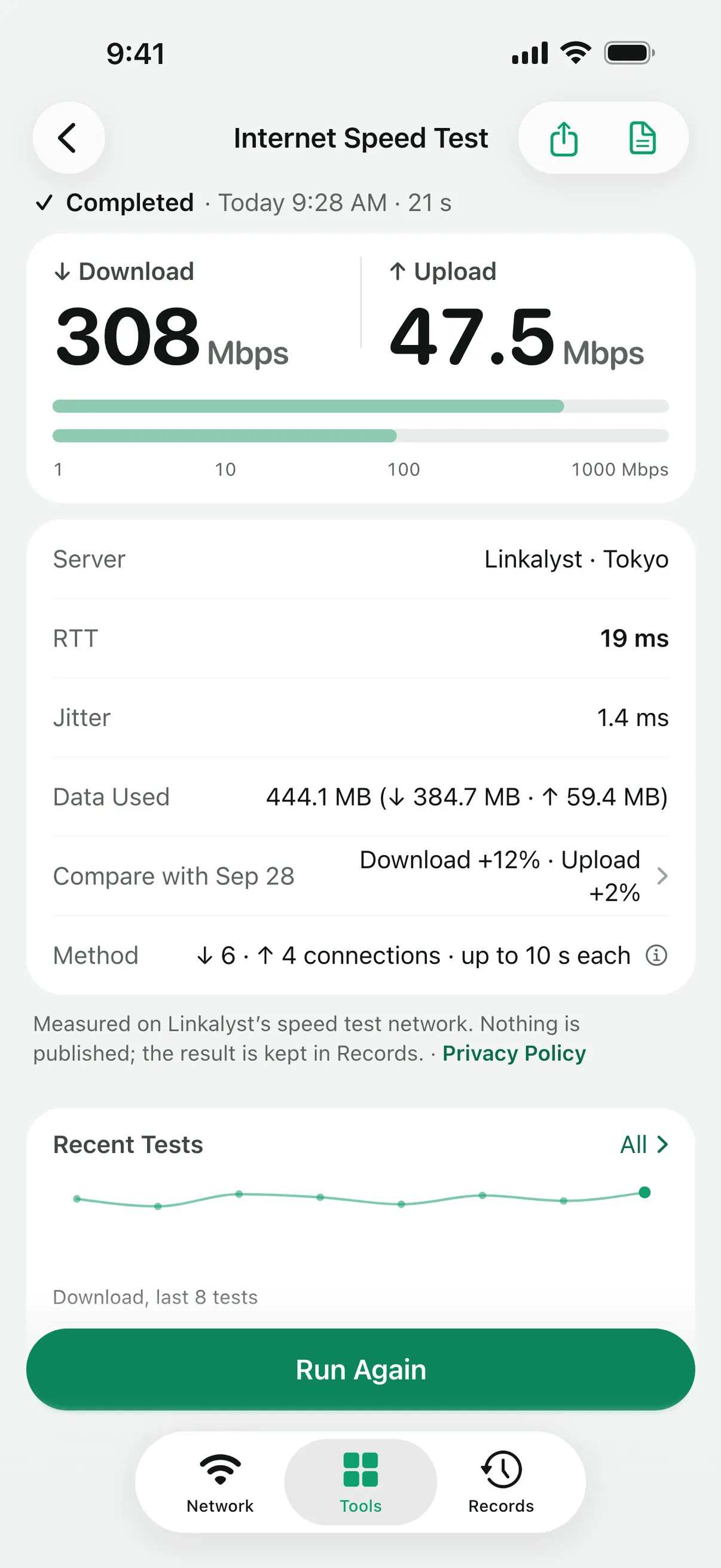
A test measures latency first, then download, then upload. Latency (RTT) is the median of twenty requests to the server, shown with jitter. Each direction runs over several connections at once, four to six for download and three or four for upload, because a single connection rarely fills a fast line. A direction stops after ten seconds at most, or sooner once the speed has held steady for three seconds.
The result names the server it used and shows the data the test transferred and the method behind the numbers.
Every test is saved as a report in Records, with the network it ran on. Recent Tests charts your latest downloads, and a new result shows its change from the previous test; with Linkalyst Plus, open the full comparison of the two reports. A finished test can also be shared as a card image.
On a fast connection a test can use a lot of data: at most 1.5 GB down and 0.5 GB up, or half that on cellular or in Low Data Mode. The default server needs your public IP address to answer, does not log test requests and publishes nothing. In Settings you can switch to Measurement Lab (M-Lab), which publishes every test as open data. See what the speed test shares.
Each speed test measures to its own server over its own path, with its own number of connections and duration, and Wi-Fi and network load change from minute to minute. To compare, run the tests one after the other in the same spot.
Both at once: the result is limited by the slowest part of the path, whether that is the Wi-Fi link, your line or the network beyond it. Test next to the router and farther away to see the difference. To measure a link on your own network, use the Throughput Test with a test peer.
Yes. The Internet Speed Test, its reports and Recent Tests are part of the free app. Linkalyst Plus adds the full comparison of two reports.
Linkalyst is free on the App Store for iPhone and iPad.