
Discover
See the network you are on and what is on it: the network name, your address, the subnet and the gateway, and the services nearby that announce themselves. With Linkalyst Plus, scan the network for the devices on it.

See the network you are on and what is on it: the network name, your address, the subnet and the gateway, and the services nearby that announce themselves. With Linkalyst Plus, scan the network for the devices on it.
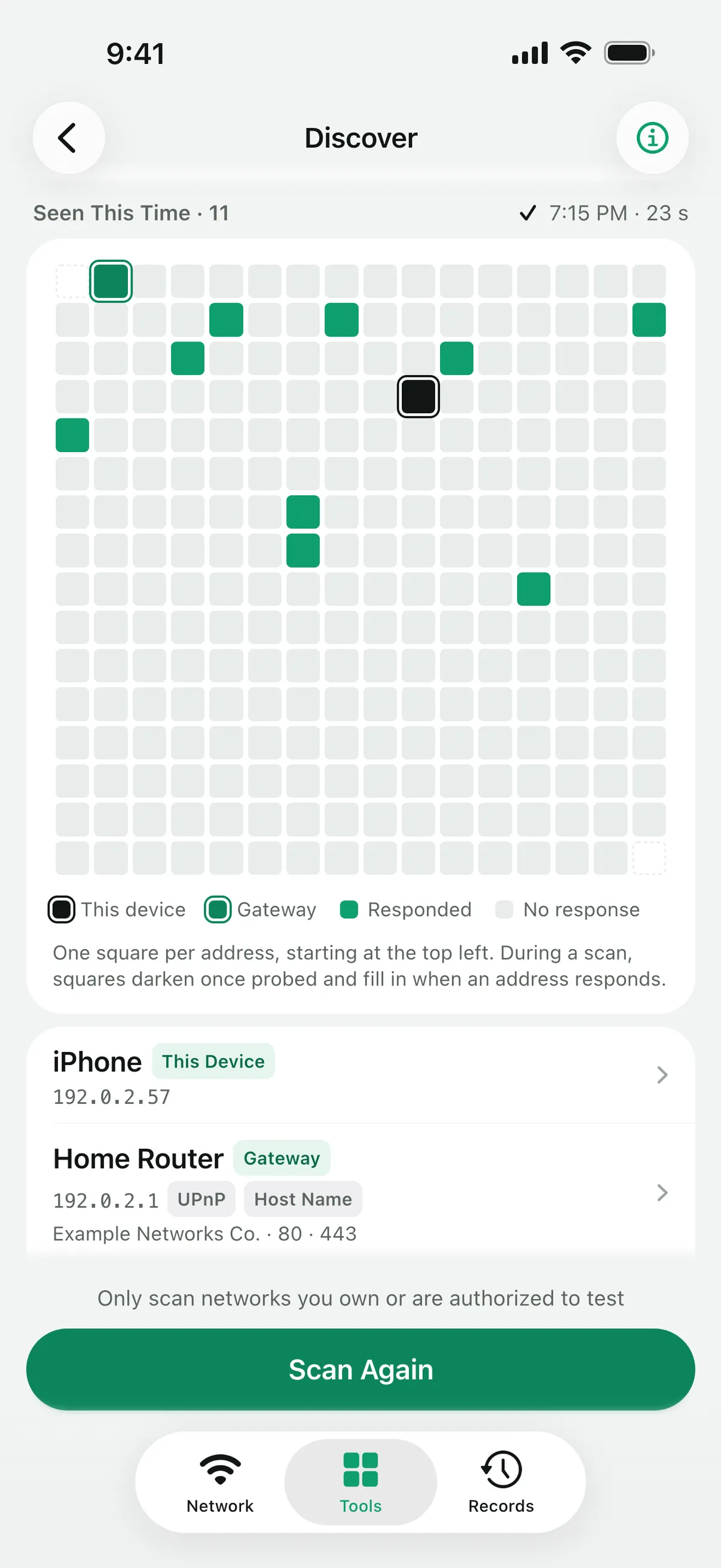
Discover opens with the network name, this device’s address, the subnet and the gateway, and can fill the gateway into Latency Test or Port Check. “Find Services” listens for Bonjour announcements for 8 to 60 seconds, in the groups you choose, such as printers, file shares and devices with a web or SSH login.
The device scan (“Scan This Network”, Linkalyst Plus) probes up to 256 addresses on the current subnet with Ping and TCP connections, and asks Bonjour, UPnP, NetBIOS and reverse DNS for names. Each address that answers gets a row with its names and where they came from, the manufacturer and model when the device reports them, its ping time and the common ports that accepted a connection.
On iOS 27 and later, rows can also show the MAC address, with the manufacturer looked up from it unless the address is private. Save a device to My Devices to find it again.
A scan is a snapshot of the addresses that answered this time. A device that is asleep or ignores probes won’t appear, so a missing device is not proof that it is offline. On a network larger than a /24, only your device’s /24 block is scanned. iOS asks once for the Local Network permission; without it, nothing is sent. Scan only networks you own or are allowed to test.
iOS gives apps MAC addresses only from iOS 27. Many phones and computers also use a private Wi-Fi address, so their manufacturer can’t be looked up from it.
It may be asleep, set to ignore probes, or on a network that keeps devices apart, such as many guest networks. Wake it and scan again, or check one of its ports directly with Port Check.
The network overview, Find Services and My Devices are free. The device scan needs Linkalyst Plus.
Linkalyst is free on the App Store for iPhone and iPad.