
Website Check
See where an HTTPS request spends its time: name lookup, connection, TLS and the wait for the first byte, drawn as a waterfall. Website Check also shows the HTTP version, the TLS connection and the certificate chain.

See where an HTTPS request spends its time: name lookup, connection, TLS and the wait for the first byte, drawn as a waterfall. Website Check also shows the HTTP version, the TLS connection and the certificate chain.
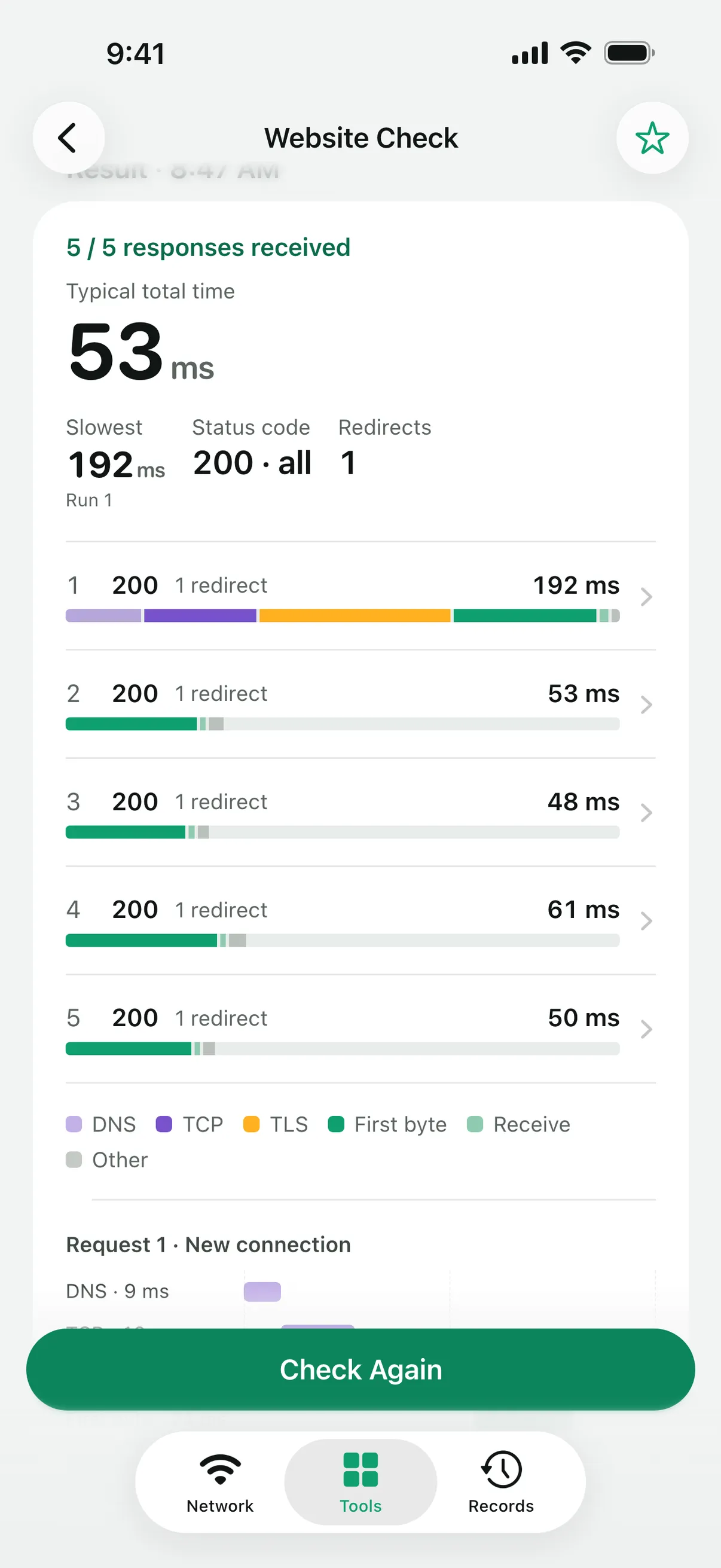
Enter an address and Website Check sends five requests one second apart, with HEAD or GET. Each request is split into the phases the system reports, DNS, TCP, TLS and request to first byte, and the result shows the typical total and the slowest request. Later requests may reuse the connection, so compare the first request with the rest.
Each request shows the HTTP version, such as HTTP/1.1, HTTP/2 or HTTP/3, the remote address and whether a proxy was used. The TLS details list the version and cipher suite, the system’s trust result and every certificate in the chain with its subject, issuer, validity dates, names and SHA-256 fingerprint.
Redirects are followed up to ten times and recorded hop by hop, or you can turn following off.
Every check is saved as a report in Records. With Linkalyst Plus, put two checks side by side to see whether a site got faster.
If the earlier phases are quick and the wait for the first byte is long, the server is usually slow to answer, not your network. If the connection or TLS phase is slow, look at the network path to the server.
HEAD asks only for the headers and is lighter. Some servers answer HEAD differently from GET, or not at all; GET reads up to 256 KiB of the response body.
No. It times one request to one address. A page in a browser loads many resources, often from many servers.
Linkalyst is free on the App Store for iPhone and iPad.